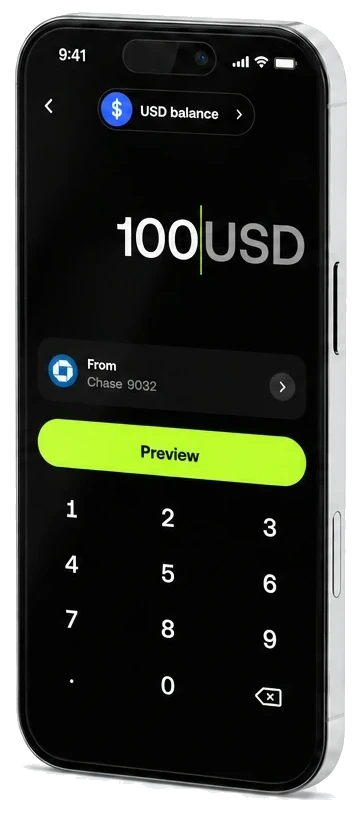
Making OKX Pay’s Send flow easier to find and use across networks
OKX Pay is a self-custody wallet connected to the user’s OKX Exchange account. Pay held stablecoin balances on X Layer, and when sending externally, users might need to send through X Layer, TRON, or Ethereum.
I iterated on how users start an external Send and convert funds without losing the payment in progress.
- Role
- Lead product designer
- Scope
- Recipient selection, network selection, stablecoin conversion, Convert and send, and transaction recovery
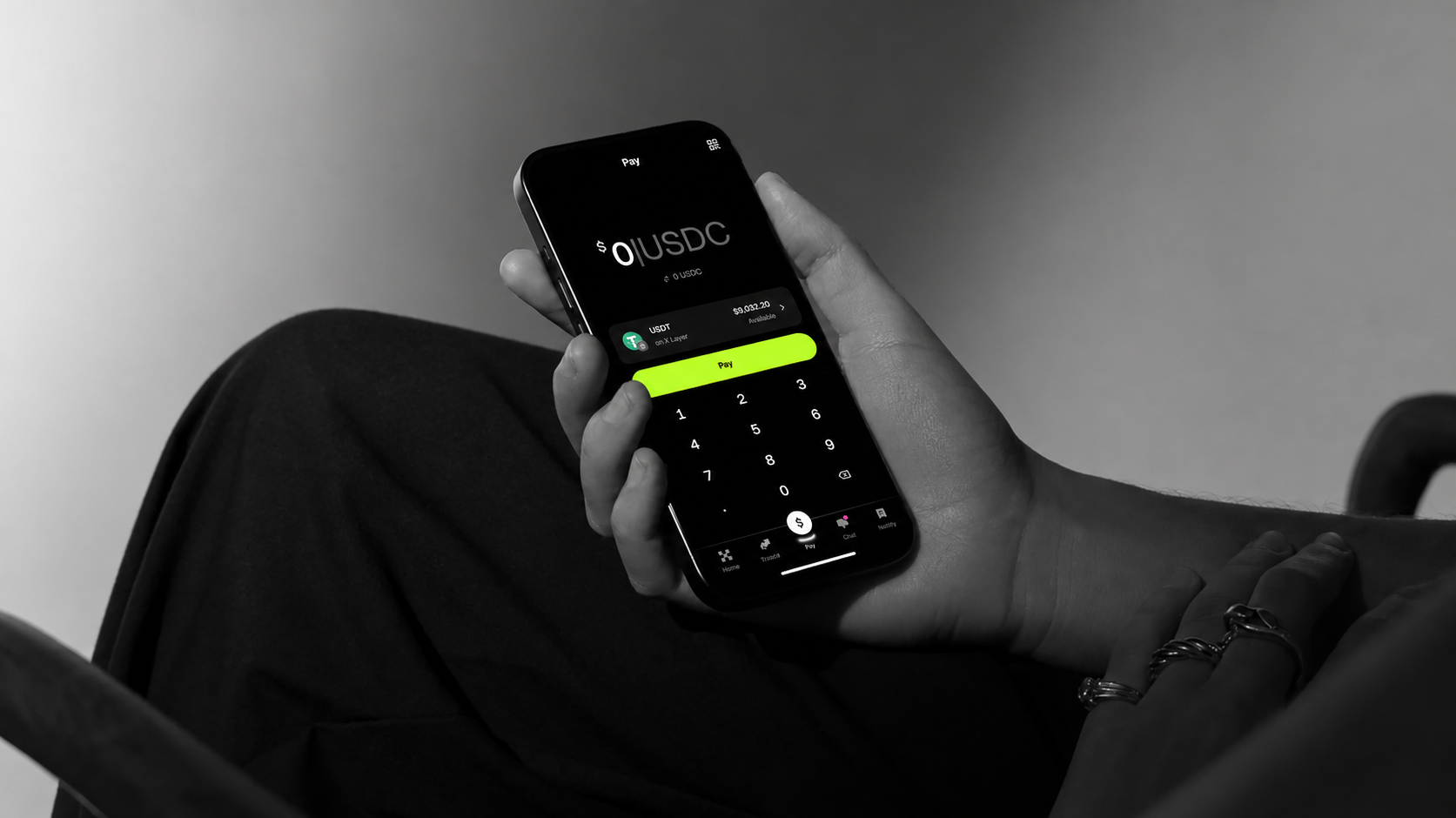
A user wants to send USDT from X Layer to a TRON address
A user wants to send USDT to an external wallet on TRON or Ethereum. They already have enough USDT in Pay, but the balance is on X Layer. Many international users were more familiar with TRON or Ethereum than X Layer, and the product needed to make the network change clear without making users manage a separate crypto workflow.
The external-wallet option was hidden behind a second tap
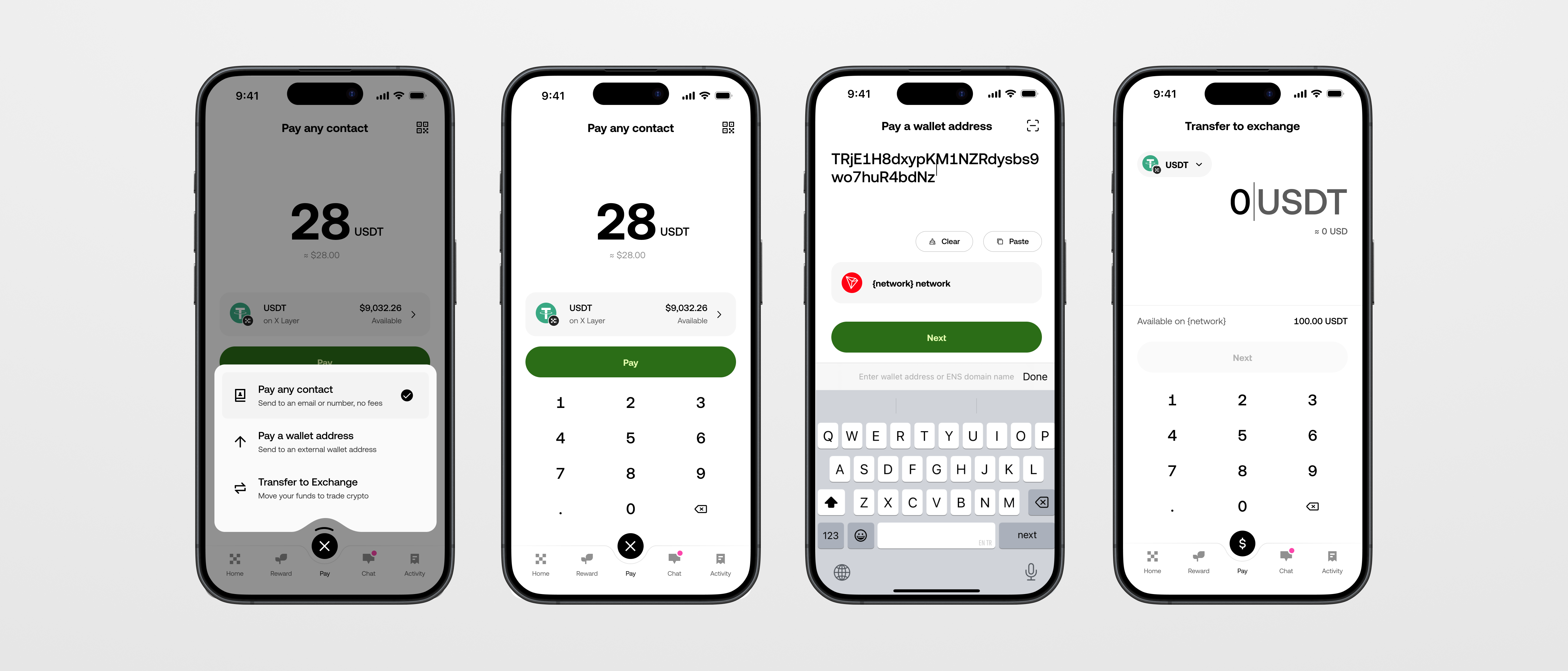
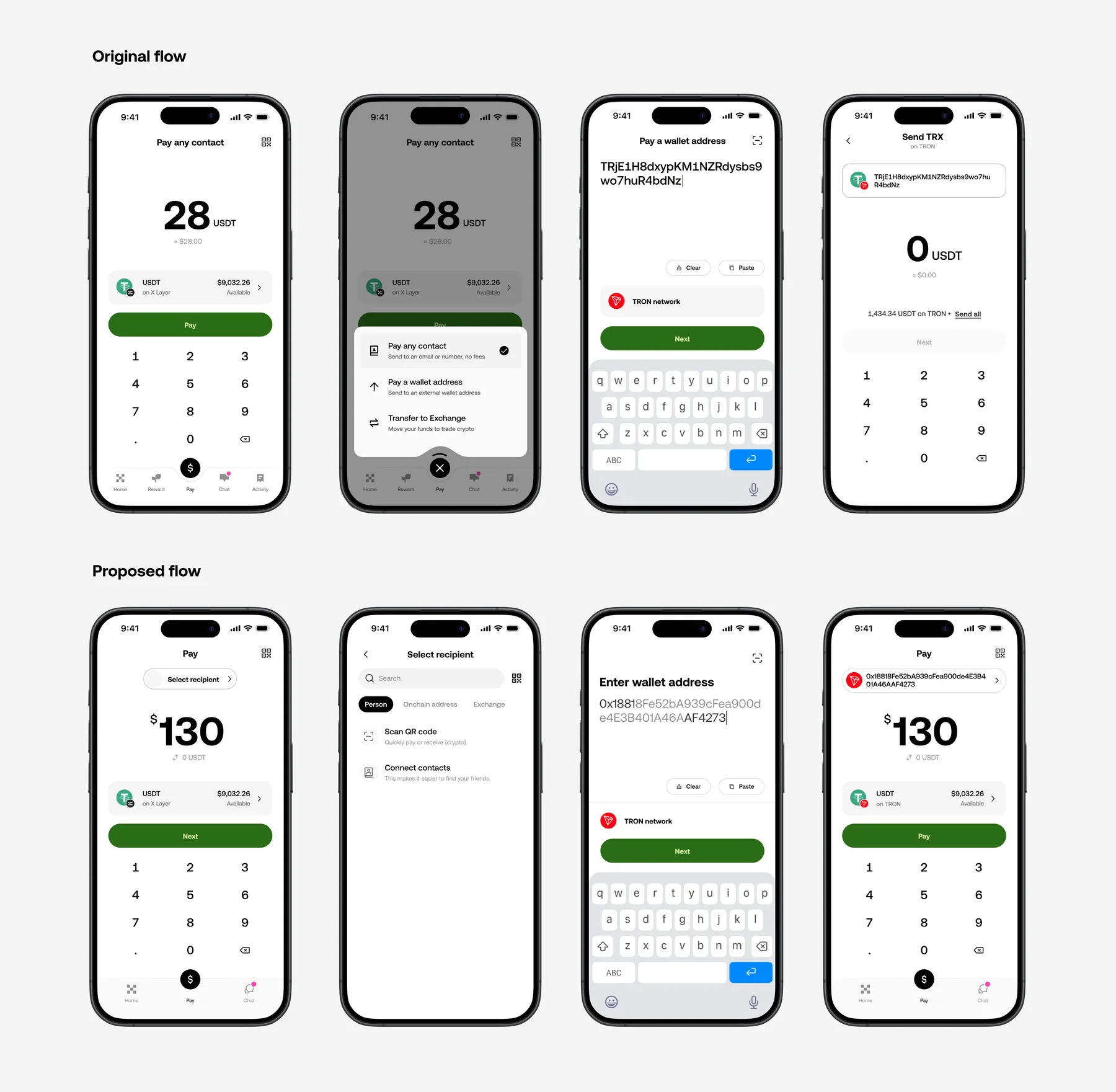
Users could pay another person, transfer to Exchange, or send to an external wallet. The initial design hid these options behind a second tap on the Pay icon, and nothing showed users that the icon had another action. Users could reach Pay without knowing where to start.
A visible recipient selector made all three destinations easy to find
I replaced the hidden menu with a visible Select recipient control. The selector included:
- Contact search
- QR scanning
- Wallet-address entry
- Transfer to Exchange
The destination determined the payment path before the user chose a token or network.
The user had USDT on X Layer, but the recipient expected TRON
Pay held stablecoins on X Layer, but the recipient’s address expected TRON. Not every token the user held could reach every destination, and X Layer, TRON, and Ethereum each carried a different set of compatible assets. The user needed a way to see which asset could actually get there.
To find a compatible asset, should Send start with the token or destination?
| Token first | Destination first |
|---|---|
| Users choose USDT or USDC, then select a network | Users enter or scan the address, confirm the network, then see compatible stablecoins |
| Makes the balance visible early | Narrows the choice to assets that can reach the recipient |
| Can show combinations that cannot reach the recipient | Ethereum and X Layer both use 0x addresses, so the user still confirms the intended network |
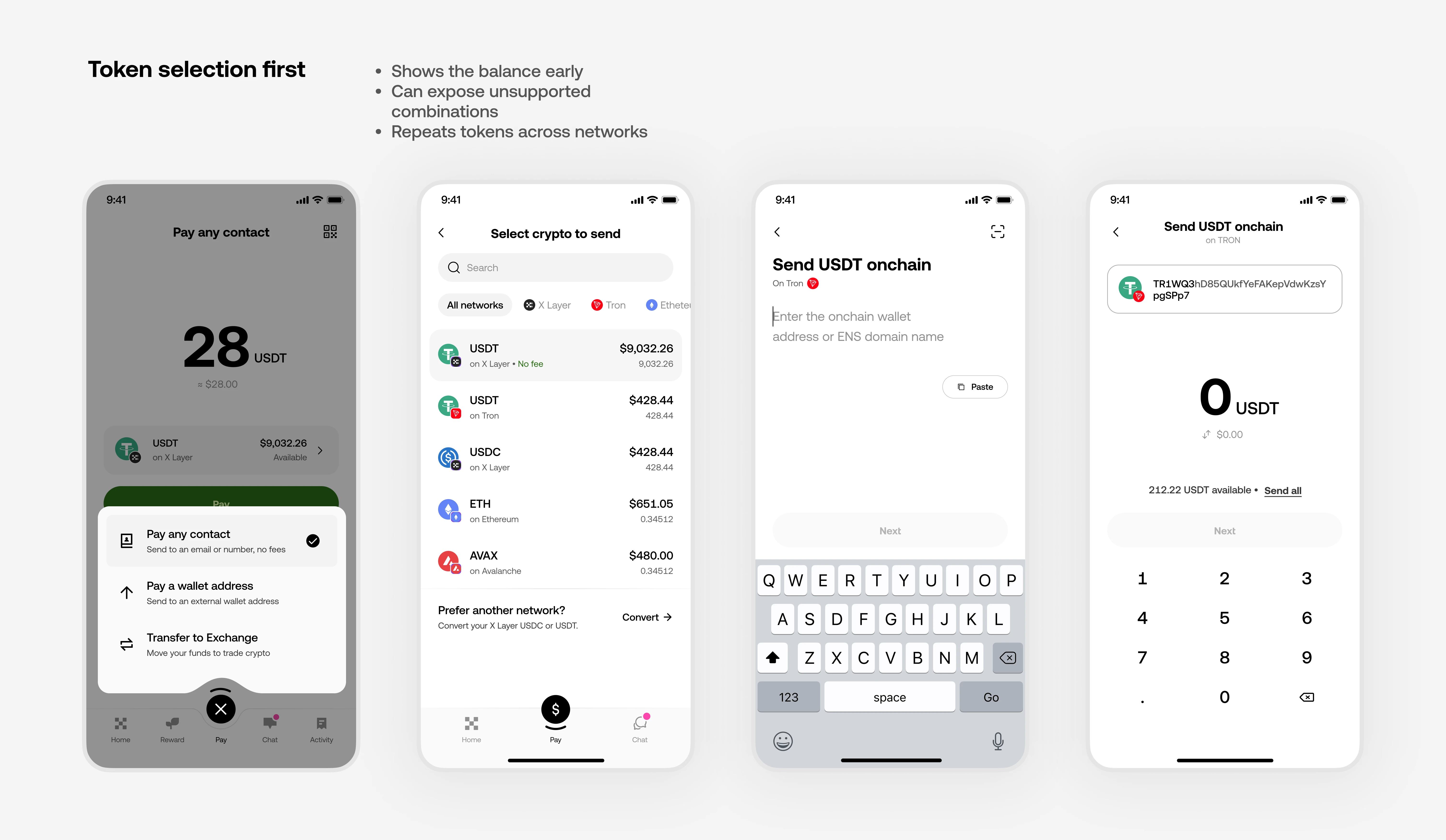
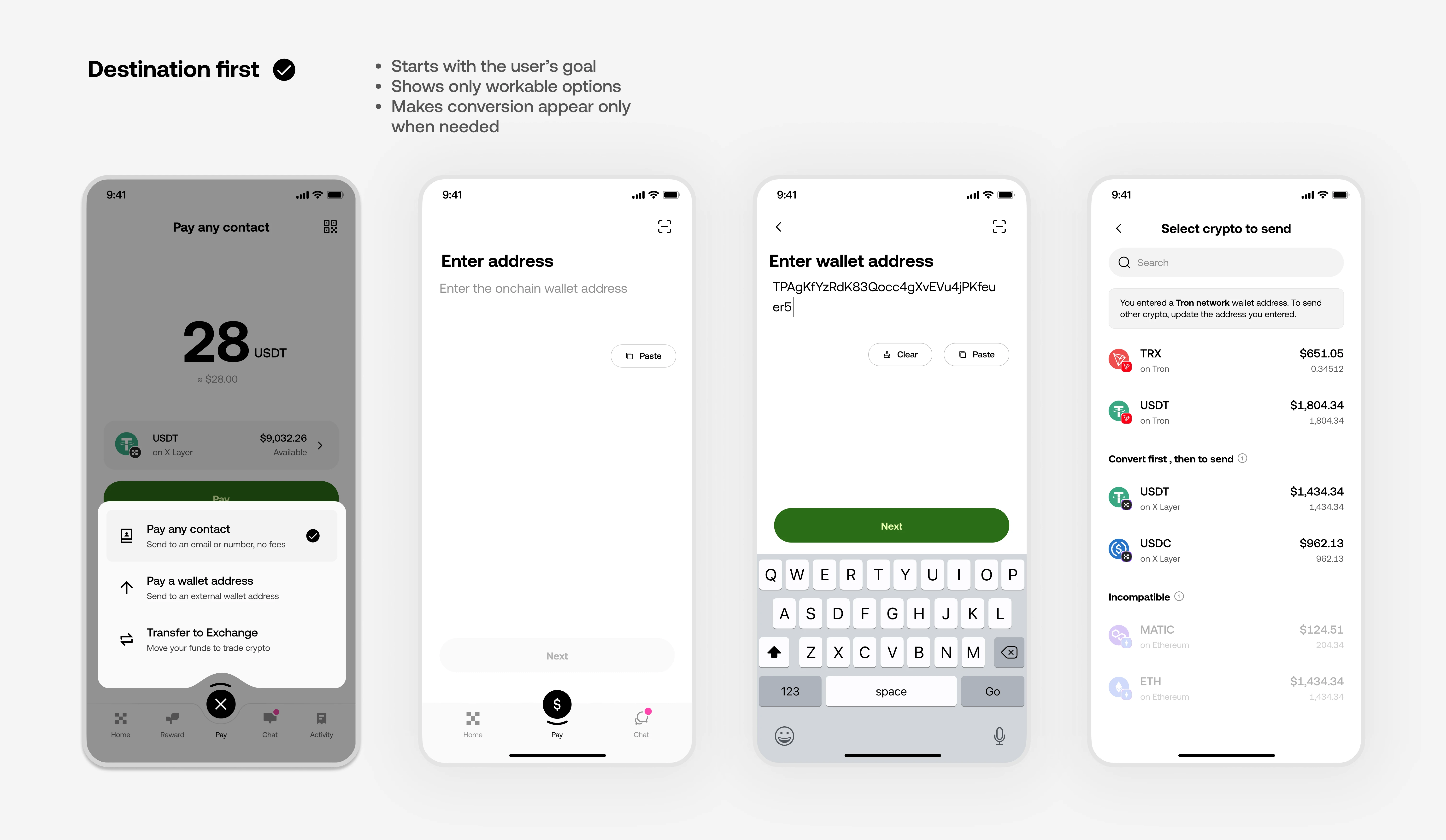
Starting with the destination showed only tokens that could reach it
After the user entered an address and confirmed X Layer, TRON, or Ethereum, the product showed compatible stablecoins. Each asset was marked as:
- Ready to send
- Convert required
This made the network difference visible before confirmation.
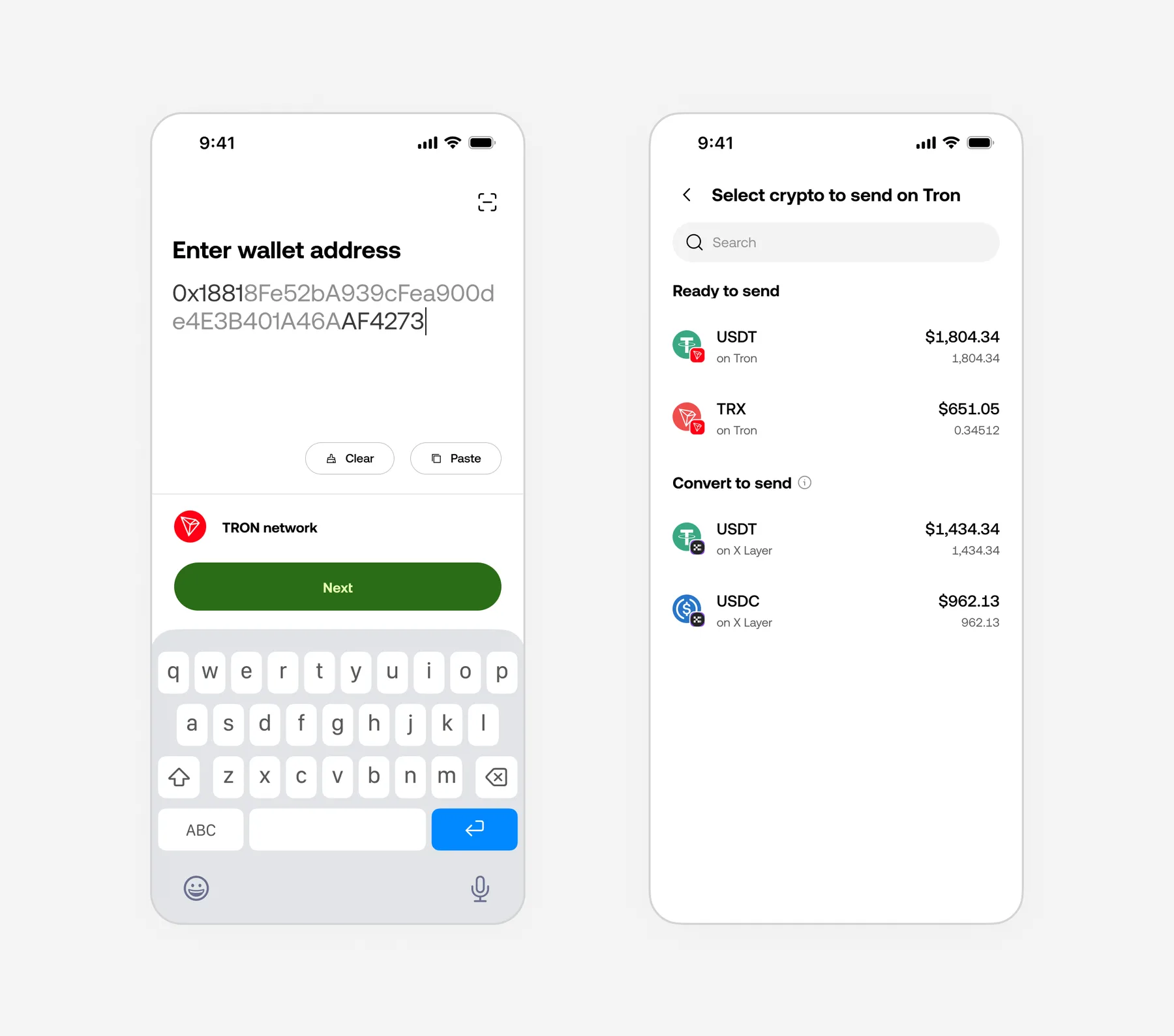
The first Convert flow fixed the network mismatch but forced users to restart Send
The original Convert flow treated conversion as a separate task. Users left Send, converted the stablecoin, then had to return and rebuild the recipient, amount, and network. Conversion solved the network mismatch, but interrupted the payment the user was trying to complete.
I made conversion part of Send so users could complete one payment
The backend treated Convert and Send as separate operations, making separate flows easier to build. But users wanted to send, not convert.
I combined both in one flow. Users chose the recipient, amount, and network; OKX Pay converted X Layer USDT when needed. The preview showed both networks, the rate, fees, and amount received.
The system still ran two operations, but users completed one payment. If conversion succeeded and Send failed, they retried only Send.
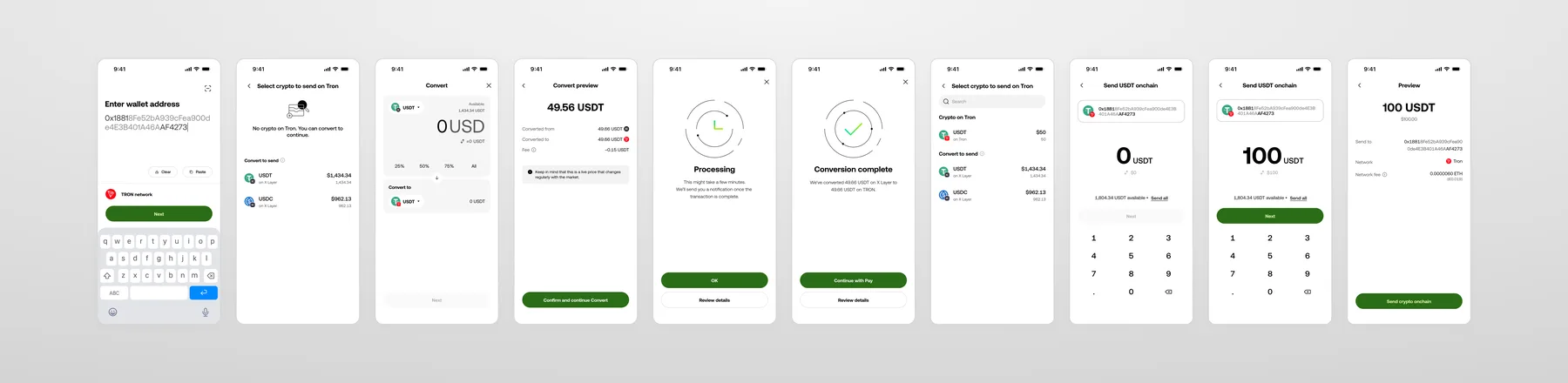
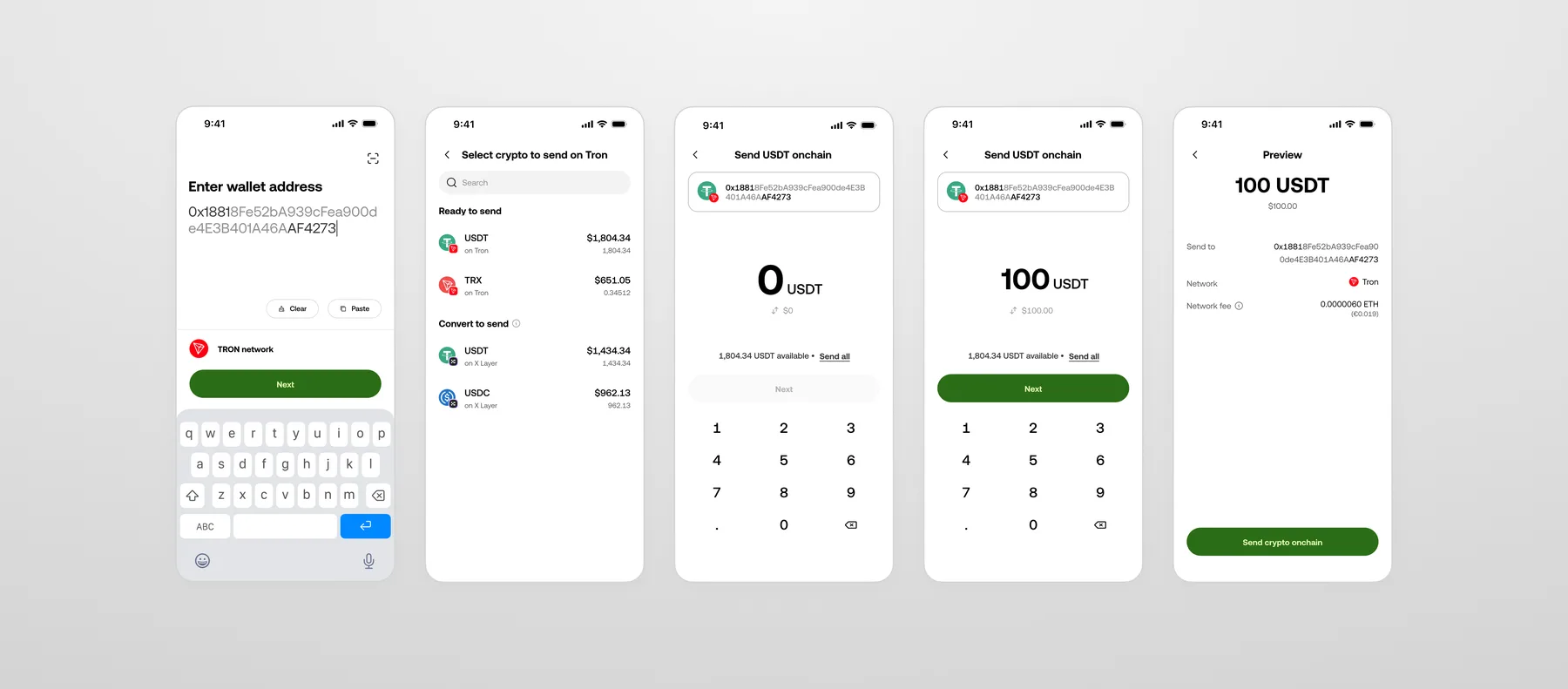
Users chose where to send, and OKX Pay reached 24K organic users within four months of launch
The final flow was:
The interface no longer hid the Send entry point or forced users to leave the payment to convert a token. The backend still handled separate operations — the experience connected them around the user’s goal. This was not measured as a standalone experiment, so there is no isolated completion metric to report.
Design around the intention to send, not the steps required to make it possible
In Send, the recipient determined whether the payment went to a contact, exchange account, or external wallet.
During an onchain send, the destination network determined whether the user’s X Layer balance needed to be converted.
In both cases, users stayed focused on who to pay and how much. OKX handled the route and funding steps while still showing the network, conversion, fees, and status before confirmation.
The goal was not to hide crypto mechanics completely. It was to surface them only when they affected the user’s decision.